

Help Center
Choose a Quick Link Below or SearchPlacing an Order
There are several ways you can place orders with ADI.
On the Website
To shop online, you need to sign in to your online account. Ordering online gives you access to order tracking information, the ability to see what's in stock in real time and free shipping on orders of $500 or more. You can also take advantage of helpful features like re-ordering past shipments and saving lists of products by client or project for future purchases.
By Phone
You can also call our Central Sales Group directly at 888.684.9167 from 7:30 a.m. – 8:30 p.m. Eastern time if you’d prefer to speak to someone.
Via Email
Your sales representative is happy to assist if you’d like to email us your order. If you’re not sure who your sales representative is, please visit.
At Your Local store
To speak face-to-face with our team members, we welcome you at one of our more than 110 locations. Before heading to your store location, you can see what’s in stock in real time on our website.
Shop Via ADI Software Integrations
ADI integrates with a variety of software platforms to help you streamline your business by providing access to real-time pricing and product availability directly within third-party tools. This can save you time and money by eliminating the need to manually enter data or switch between different systems. Learn more about our software integrations and how to access the ADI catalog through them.


To manage your business in a sub-account, you must change your default location under "My Account." This option is available in every one of your account management screens.
Order History
How can I see my order history?
You can see your order history online by logging into your ADI online account. Click on the account icon from the navigation bar and go to Orders. You can sort through your orders by:
- Type: order number, reference number or PO number,
- Status: closed, credited, returns or shipped or
- Date range. Orders placed are usually available and visible within minutes (approximately 5-10 minutes).
How can I see the order history for my sub-account(s)?
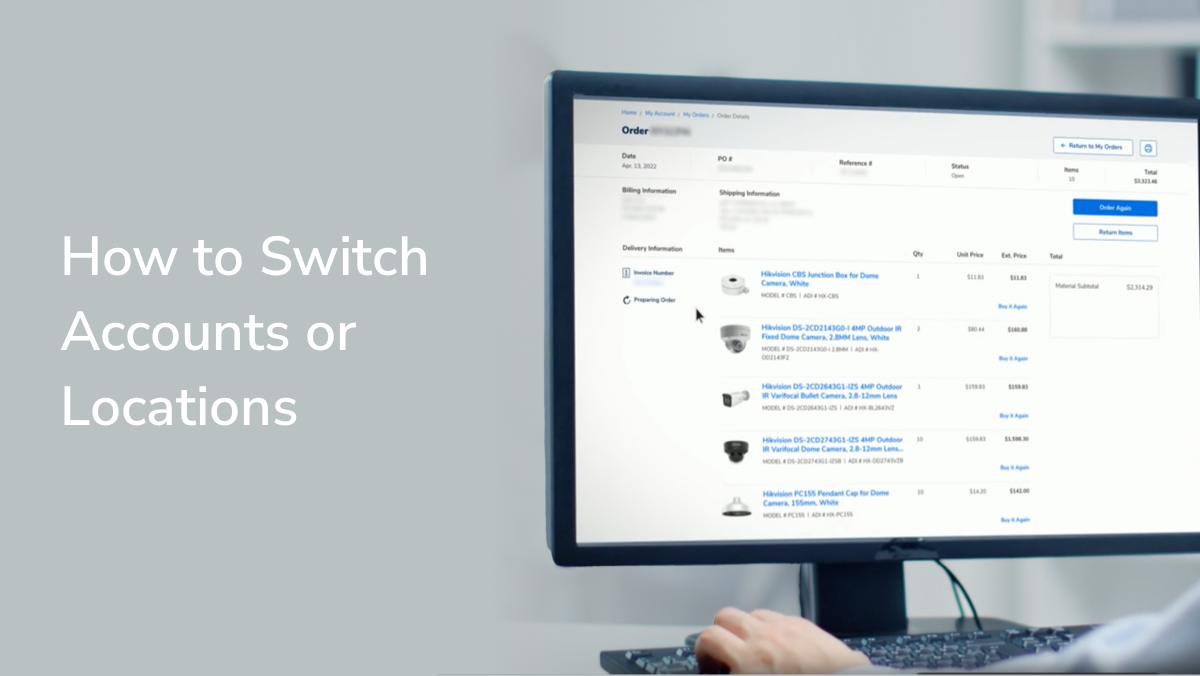
To manage your business in a sub-account, you must change your default location under "My Account." This option is available in every one of your account management screens.
Invoices and Statements
How can I see my invoices and statements?
Invoices for orders are completed nightly for customers with a credit line. You can see invoices and statements online by logging in and going to Invoices or Statements from the account menu.
You can also go to Orders from your Order History, where you can find a link to the invoice for each order. Please note that your invoice for an order will be available only after your order has been shipped, and orders placed within the past 24 hours will not yet be available.
If you pay at a point-of-sale, you will be given a final invoice at the store. If you do not have an online account but have a credit line with ADI and have an item shipped to you, your invoice will be included with your package.
I think there’s an error on my invoice or statement.
Please contact your designated ADI credit representative. Your representative's name, phone number and email can be found on your invoice history page when logged in to your online account. Alternatively, you can call your local store for assistance.
How can I view statements on my sub-account(s)?
To manage your business in a sub-account, you must change your default location under "My Account." This option is available in every one of your account management screens. Watch this video to learn more.
Why can't I see my open invoices?
Your credit terms with ADI may be Cash on Delivery (COD). With COD terms, open invoices will not be displayed under "My Invoices." If you are searching for a copy of a specific invoice, the only way you will be able to access the invoice number is by locating your specific order on "My Orders" and navigating to "Order Details." The invoice number is displayed under "Delivery Information." Contact your ADI credit representative to check your credit terms and/or for further assistance.


Making Payments
What are my invoice payment options?
Customers can link a bank account to their online account and make invoice payments online or make an electronic direct bank payment by phone. They can also mail a check to the lockbox (the address will be listed on your invoice) or pay at their local store.
How do I make an online payment?
Sign into your ADI account and go to Invoices in the account menu. Click on the open invoice you want to pay and use the bank you have on file to make a payment.
If you don't have your bank account linked yet, see the video "How to Make an Online Payment" for detailed instructions. Please note that it may take up to seven days to link your bank account before you can make a payment.

How can I pay invoices to my sub-account(s)?
To manage your business in a sub-account, you must change your default location under "My Account." This option is available in every one of your account management screens.
Why can’t I place an order and/or pay an invoice?
Each online account at ADI can be set up with differing access levels. If you’re unable to place an order or pay an invoice, it is likely because your account access is restricted. For help, contact the person at your company who first set up the ADI account.